
Introduction – Why MagicAI Stands Out in the Crowded AI Art Market
MagicAI is a cloud‑driven AI art generator that lets anyone, from absolute beginners to seasoned designers, create high‑resolution images and short video clips with just a textual prompt. The platform’s biggest selling point is its zero‑install, browser‑only workflow: users simply open a modern web browser, type a description, tweak a few sliders, and watch the AI render a polished visual in seconds. While many AI generators lock core capabilities behind expensive desktop applications, MagicAI offers a generous free tier that includes HD output, a growing library of style presets, and a unique “Negative Prompt” feature that lets creators explicitly exclude unwanted elements.
This level of control dramatically reduces the trial‑and‑error cycle that plagues other tools. For power users, a VIP subscription unlocks UHD and 4K resolutions, batch processing, priority GPU queues, and exclusive style packs, but the free plan remains functional enough for daily creative tasks such as social media graphics, marketing banners, concept sketches, and even quick storyboard frames. Security is baked into the service; all data transfers use HTTPS encryption, and generated assets are stored temporarily unless the user saves them to a personal dashboard.
In short, MagicAI combines accessibility, flexibility, and a robust feature set into a single web‑based solution that adapts to a wide range of creative workflows.
Key Features and System Compatibility – What You Get and Where You Can Use It
MagicAI’s feature list reads like a checklist for modern digital creators. First and foremost, the platform is truly web‑based, meaning there is no need to download installers or manage updates—everything runs on MagicAI’s cloud servers, ensuring you always have the latest model without lifting a finger. The AI supports both still‑image generation and short video clips (up to 15 seconds) from a single prompt, making it a versatile tool for designers, marketers, and content creators alike. Users can select output resolutions ranging from standard definition up to UHD and, for VIP members, 4K video. Advanced parameters such as image ratio, inference steps, weight, and denoise levels give granular control over the final look, while the Negative Prompt engine provides a powerful way to suppress undesired elements, a feature rarely found in free AI tools.
All of these capabilities are wrapped in a responsive interface that works on any device with a modern browser. The platform declares compatibility with the following operating systems, satisfying the itemprop="operatingSystem" requirement:
- Windows 10/11 – Chrome, Edge, Firefox
- macOS Ventura and later – Safari, Chrome, Firefox
- Linux distributions – Chrome, Firefox
- Android 9+ – Chrome, Firefox, Edge
- iOS 13+ – Safari, Chrome
Because all heavy processing occurs in the cloud, the local hardware demands are minimal; a stable internet connection and a browser capable of HTML5 canvas rendering are the only prerequisites. This cross‑platform reach makes MagicAI a truly universal solution, whether you’re on a high‑end workstation or a modest smartphone.
- Web‑Based Access: No installation, runs on any modern browser.
- Dual‑Mode Generation: Create both images and short videos from a single prompt.
- Resolution Flexibility: Options from standard to UHD, with 4K for VIP users.
- Advanced Parameter Controls: Ratio, weight, steps, denoise, and more.
- Negative Prompt Engine: Exclude specific objects or styles.
- Extensive Style Library: Anime, cyber‑punk, vintage, and custom packs.
- Personal Dashboard: Save, organize, and revisit past creations.
- Secure Cloud Processing: HTTPS encryption, temporary storage, GDPR compliance.
- Regular Model Updates: New AI models and style packs added monthly.
Installation, Usage Guide, and Pros & Cons – Getting the Most Out of MagicAI
Getting Started – No Download Required
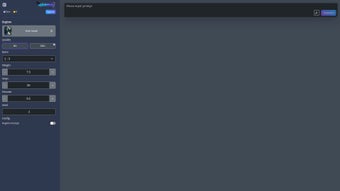
The onboarding experience is deliberately frictionless. Users land on magicai.example.com, where a clean prompt box invites them to type a description of the desired artwork. Directly beneath the prompt, a series of sliders let you adjust image ratio (e.g., 1:1, 16:9), inference steps (which affect detail), weight (influence of the prompt), and denoise (smoothness). For newcomers, a “Quick Start” wizard walks through each control with concise tooltip explanations, ensuring even first‑time users understand how each setting shapes the final output.
Generating and Refining Content
After configuring your settings, clicking the Generate button sends the request to MagicAI’s GPU‑powered backend. A circular progress indicator shows real‑time status, and most standard‑resolution images finish within 15‑30 seconds. VIP users benefit from priority queues, often receiving results in under 10 seconds.
Once rendering completes, a preview appears with three primary actions: Download, Share, or Save to Dashboard. For video outputs, a lightweight timeline editor lets you trim, loop, or add simple captions before saving. All downloads are provided in PNG (for images) or MP4 (for videos) formats, preserving the selected resolution without additional compression.
Pros and Cons – A Balanced Assessment
- Pros:
- Zero‑cost entry point with generous feature set.
- High‑quality HD/UHD outputs without local GPU requirements.
- Negative Prompt gives precise control over unwanted elements.
- Cross‑platform accessibility via any modern browser.
- Frequent model and style‑pack updates keep the tool fresh.
- Secure, encrypted data handling and temporary storage.
- Cons:
- Advanced capabilities such as batch generation and 4K video require a paid VIP subscription.
- Free tier imposes daily generation limits, which can hinder heavy users.
- Parameter sliders and advanced settings may overwhelm absolute beginners.
- Reliance on an internet connection; offline work is not possible.
Frequently Asked Questions and Final Thoughts
Is MagicAI truly free, or are there hidden costs?
MagicAI offers a completely free tier that includes standard‑resolution image generation, short video clips, and access to the core style library. The only costs arise when users choose the optional VIP subscription, which unlocks higher resolutions, faster rendering queues, batch processing, and exclusive style packs.
How does the Negative Prompt feature improve my results?
Negative Prompt lets you specify elements you do NOT want in the final image—e.g., “no trees” or “exclude watermarks.” This reduces the need for multiple iterations, as the AI actively avoids those elements, delivering cleaner results faster.
Can I use MagicAI on a mobile phone or tablet?
Absolutely. The platform’s responsive design works on Android and iOS browsers, allowing you to generate, preview, and download artwork directly from your handheld device.
What measures does MagicAI take to protect my privacy?
All communications are encrypted via HTTPS. Generated files are stored temporarily on secure servers and automatically deleted after 48 hours unless you save them to your personal dashboard. MagicAI complies with GDPR and other major privacy regulations.
Do I need a powerful computer to run MagicAI?
No. Because the heavy AI processing occurs in the cloud, any device that can run a modern web browser and maintain a stable internet connection is sufficient.
Conclusion – Should You Download MagicAI?
MagicAI delivers a compelling mix of accessibility, power, and flexibility that many desktop‑only AI generators simply cannot match. The free tier already provides enough features for casual creators, educators, and marketers, while the VIP subscription scales gracefully for professionals who demand higher resolutions and faster turnaround. Its web‑only architecture eliminates the hassle of installations and updates, and the Negative Prompt feature sets a new standard for creative precision.
Security and privacy considerations are handled responsibly, and the platform’s regular updates keep it at the forefront of AI art technology. If you are looking for a tool that can generate high‑quality visuals without demanding expensive hardware, MagicAI is worth a try. Download MagicAI today, explore the free plan, and decide if the premium upgrade aligns with your workflow.



.png)



